Zephframe: Designing an Intelligent Building Management Dashboard
Building managers couldn't see if occupants were comfortable
Project Overview
Building management systems showed everything, which meant they showed nothing useful. Building managers spent time hunting through dense interfaces just to answer basic questions: are people comfortable, and is anything about to break?
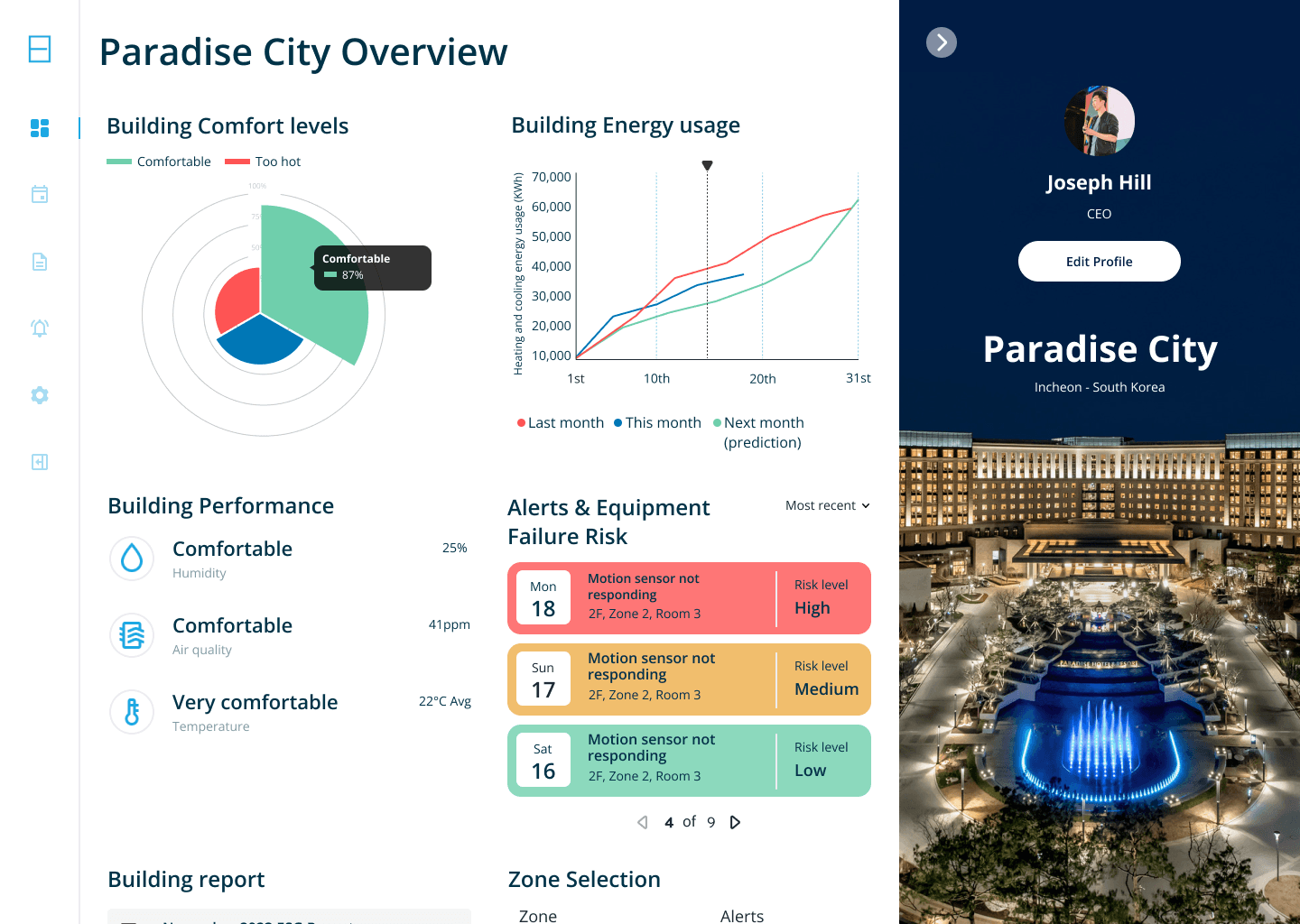
I designed a dashboard that put comfort levels at the centre, based on interviews with four building managers who said temperature alone wasn't enough. They needed air quality, humidity, and equipment status in one view.
The design helped building managers spot HVAC failures before they happened and respond to poor air quality in small rooms automatically. Although the company closed before launch, the prototype tested well with users and was used to pitch investors.
Understanding the Problem
Existing Systems Were Overwhelming
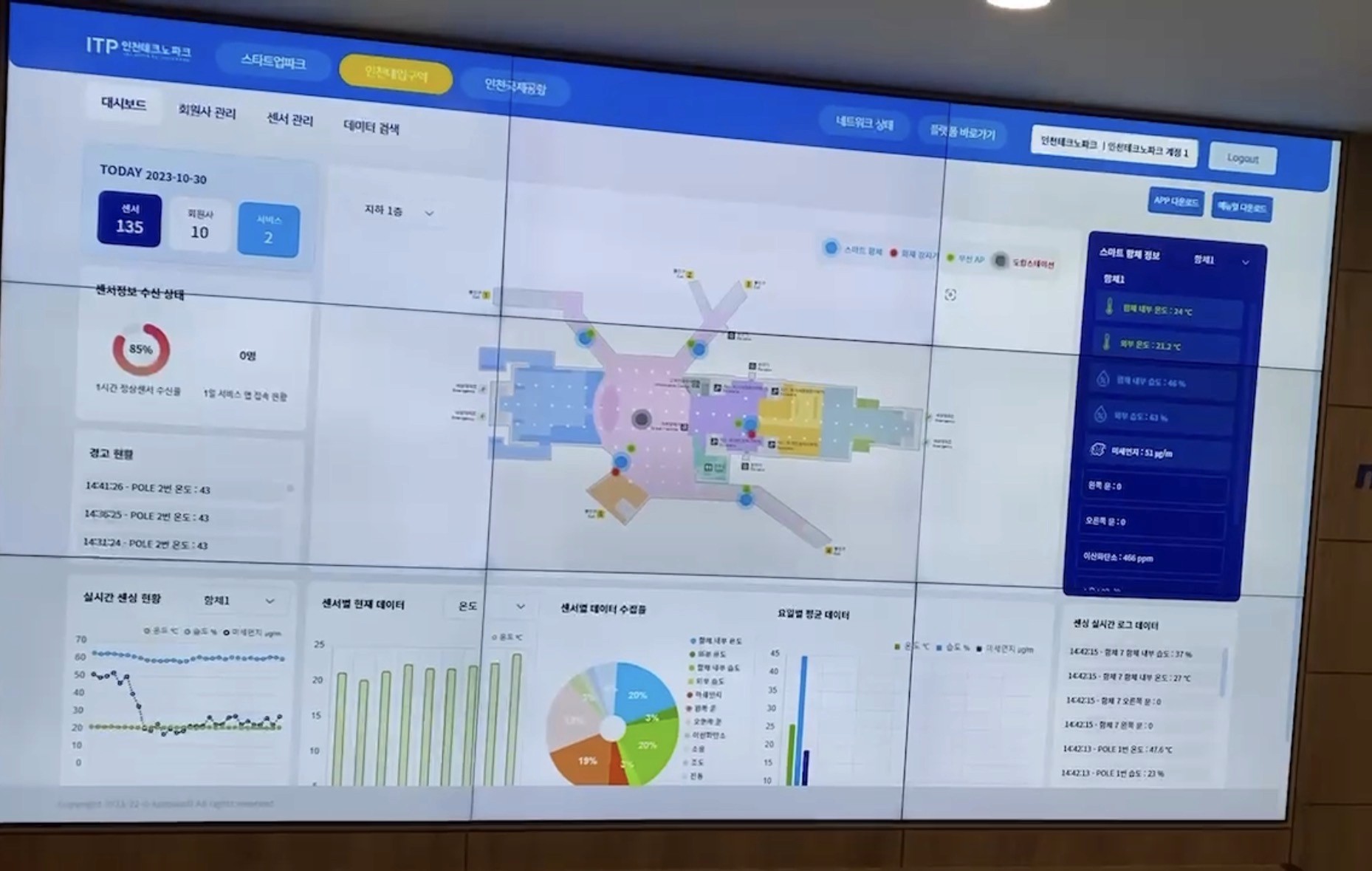
Existing BMS interface: building managers described these systems as overwhelming, with no clear way to prioritise comfort data.
What Building Managers Told Us
I interviewed four building managers to understand how they used existing building management systems. They all described the same problem: vast amounts of data made it difficult to know if occupants were comfortable.
They only had temperature readings to go on, and drilling down into specific building areas wasn't easy. One building manager said they wanted to see air quality, not just temperature, especially in small meeting rooms where CO2 levels spiked quickly.
Another said equipment failures were often reactive. They only found out when something stopped working.
How the System Needed to Work
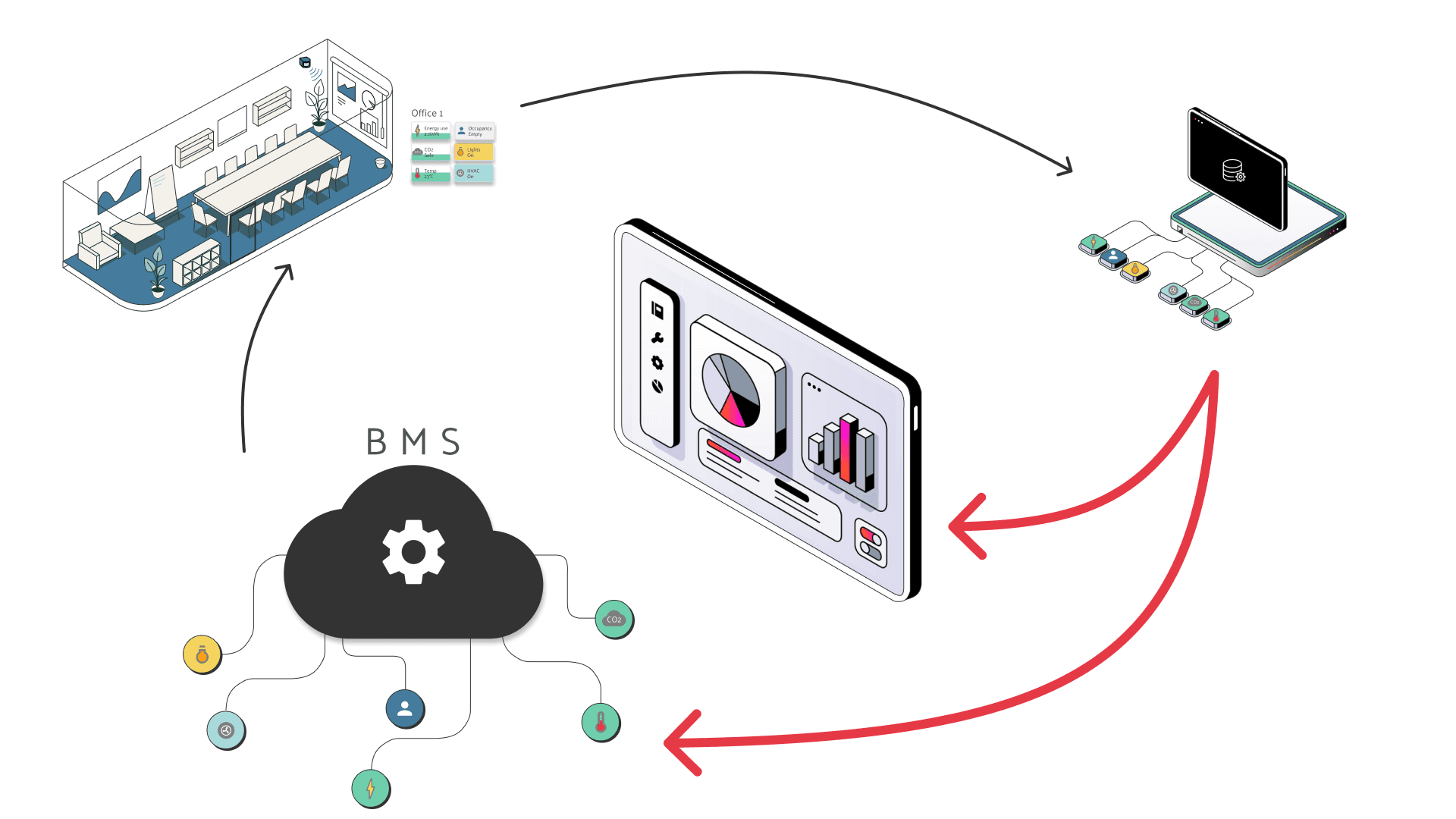
System architecture showing how environmental sensors collected data, the dashboard displayed real-time comfort levels, and automated actions were triggered when thresholds were crossed
The technical challenge was connecting multiple data sources (temperature, CO2, humidity sensors) to a single dashboard that could both display information and trigger automated responses when comfort levels fell outside acceptable ranges.
Who We Were Designing For
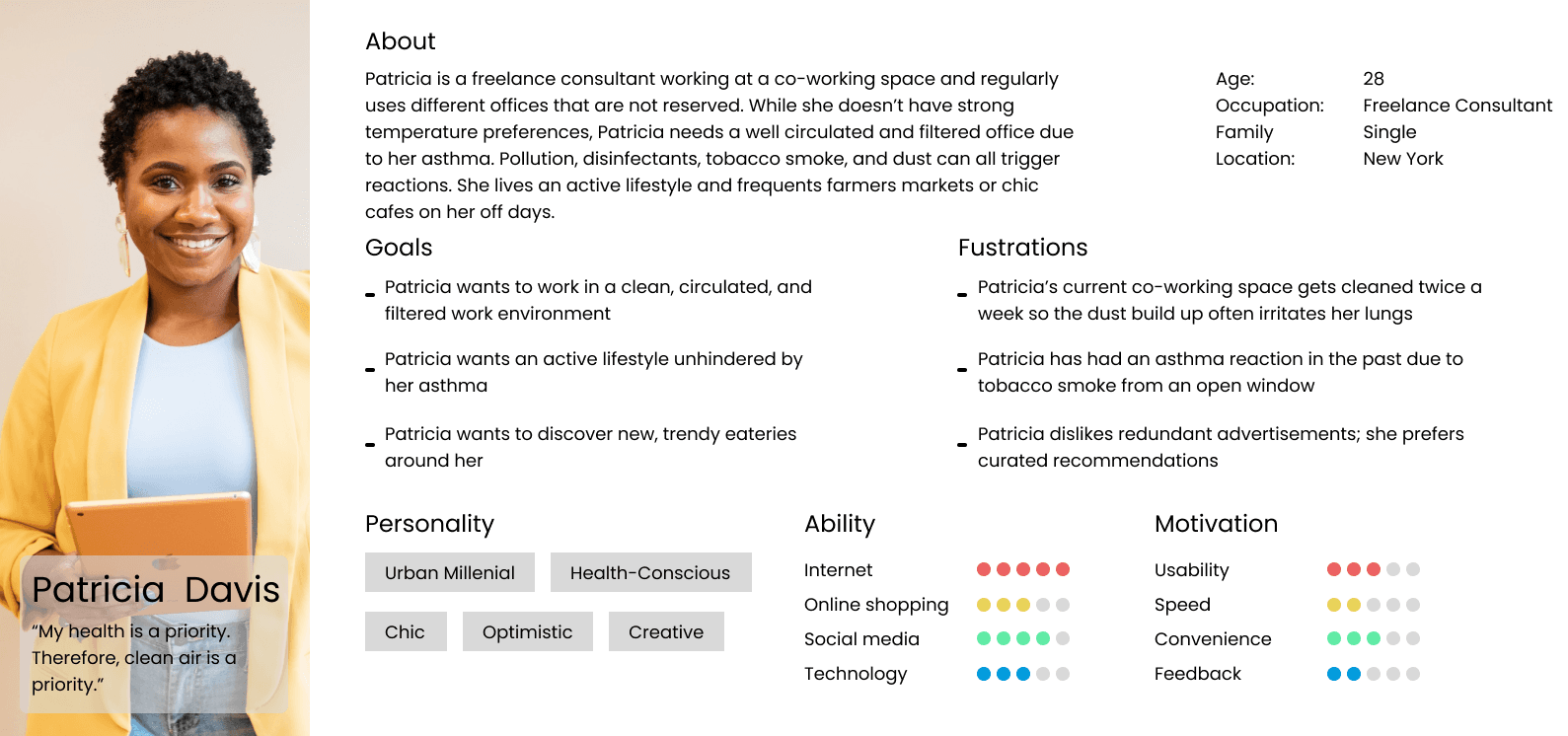
Primary user persona: Building managers responsible for occupant comfort in commercial properties, based on interviews with four professionals
Key Research Findings
The interviews revealed three priorities that shaped the entire dashboard structure:
1. Comfort First
Building managers measured their success by whether occupants were comfortable, not by efficiency metrics. Temperature alone wasn't enough. They needed air quality, humidity, and equipment status together.
2. Equipment Visibility
They wanted early warnings about HVAC performance, so they could flag risks to building owners or maintenance teams before failures happened. Reactive maintenance was costing time and money.
3. Actionable Alerts
They needed the system to act automatically when thresholds were crossed, like triggering airflow when CO2 got too high. But they also needed to see when the system had acted, so they knew what was happening.
While building owners would eventually need efficiency reports, the core interface had to serve building managers who cared about occupant comfort above everything else.
Design Process
Proving the Concept with Real Data
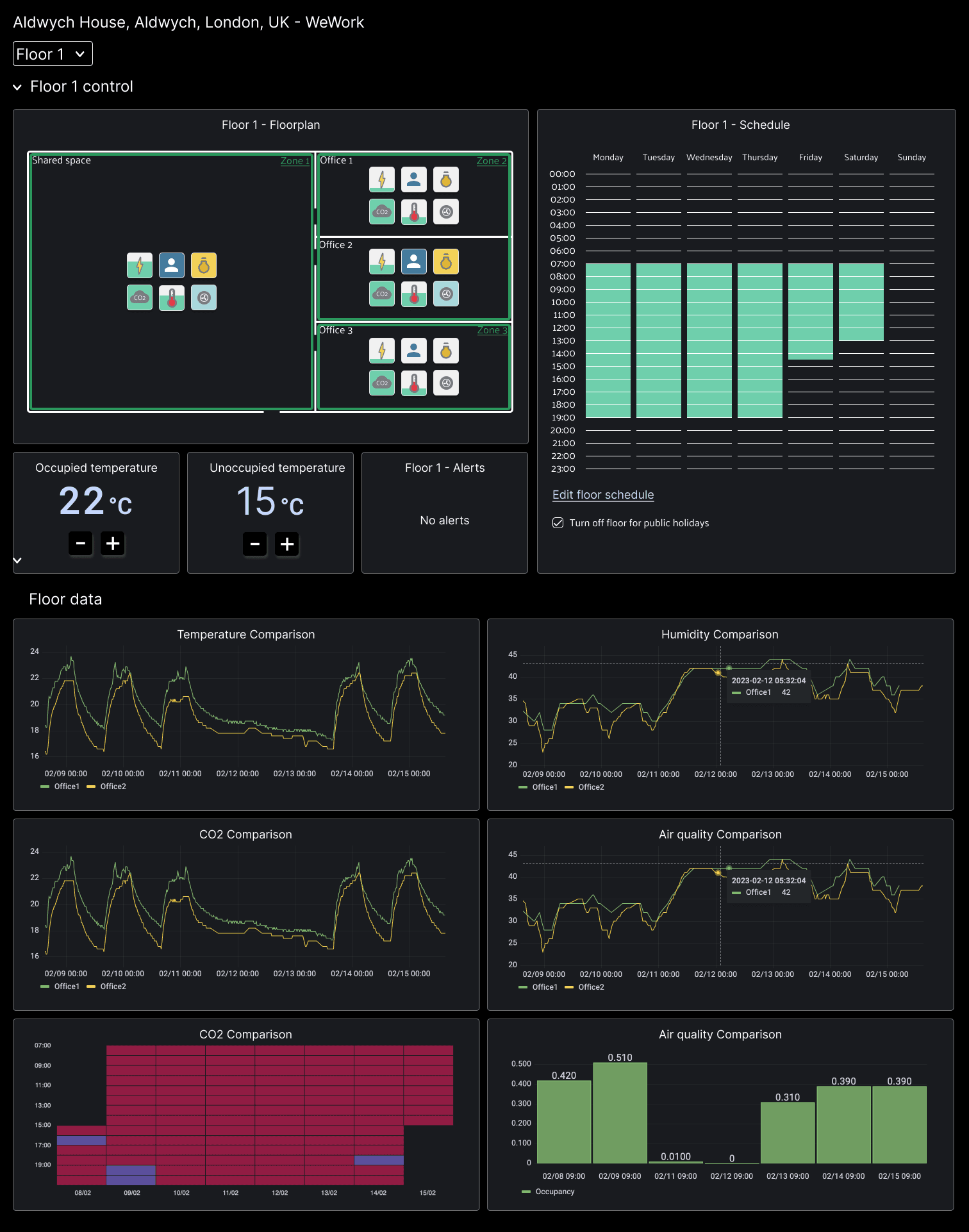
Technical proof of concept built in Grafana to validate real-time data collection, demonstrate system feasibility to investors, and test data visualisation approaches before final design
Before designing the final interface, we built a working prototype in Grafana to prove the system could collect and display real-time data. This technical validation was essential for convincing investors the product was viable.
The Grafana prototype let us test different ways of visualising comfort data and identify which metrics building managers looked at most frequently.
From Data to Interface Design
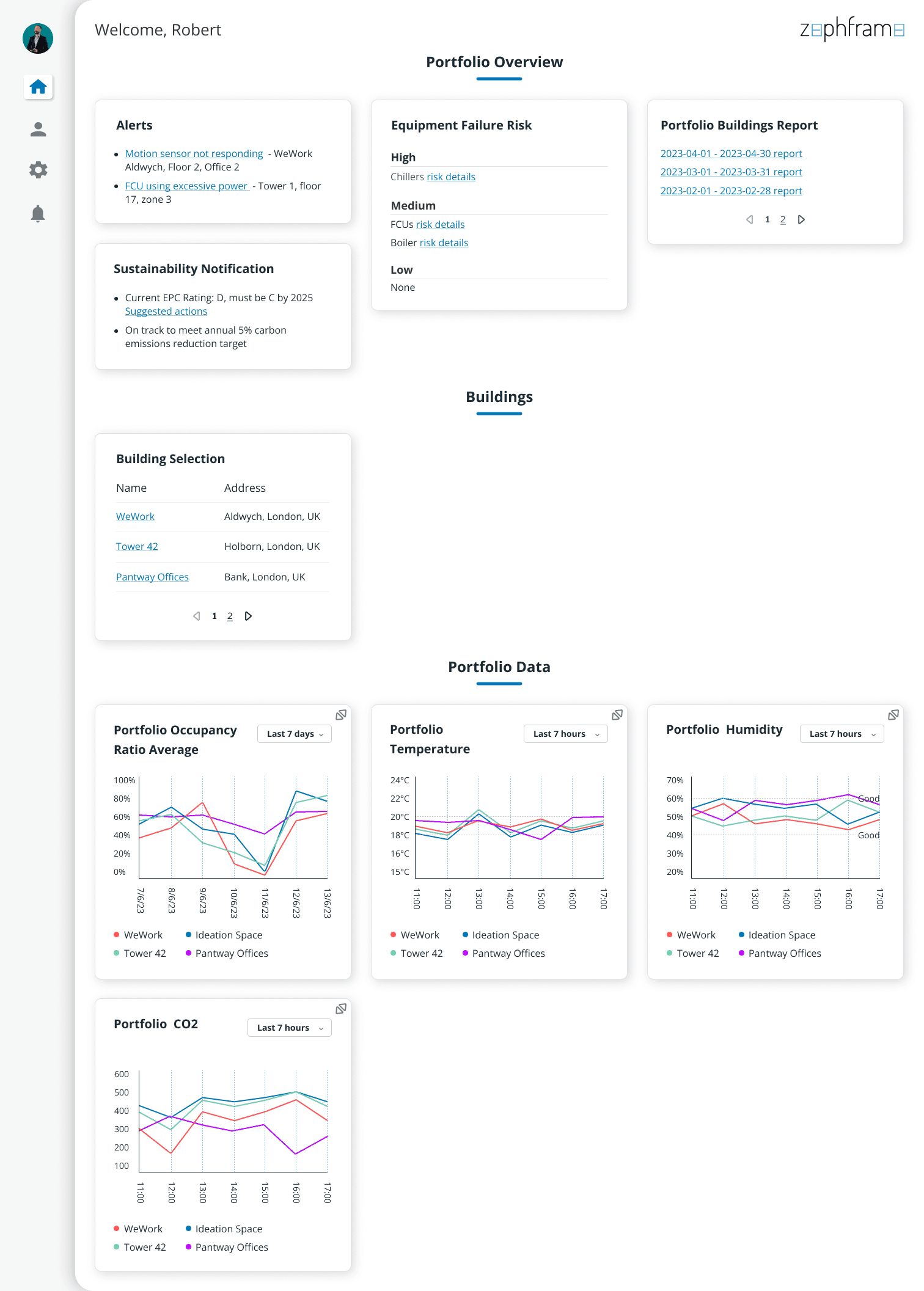
Early wireframes exploring information hierarchy, layout structures, and how to present comfort levels, equipment health, and automated actions in a single view
The wireframes focused on solving the hierarchy problem: how do you show comfort as the primary metric while still giving visibility to equipment health and system actions?
I tested multiple layouts with building managers, learning that they needed to see zone-by-zone comfort at a glance, with equipment details available one level deeper.
Design Decisions
Balancing Competing Needs
The biggest design challenge was balancing two competing needs: building managers wanted comfort data, but building owners (who would pay for the product) cared about efficiency.
Early in the project, there was pressure to show efficiency metrics prominently because that's what would appeal to investors. I pushed back using research findings.
Building managers were the daily users, and if the dashboard didn't serve them, it wouldn't get adopted. The compromise was to design the MVP around comfort, with a separate building report feature for owners that could expand into a multi-building efficiency view later.
Three Core Design Principles
Comfort levels front and centre
Temperature, CO2, and humidity displayed together for each zone, so building managers could see occupant comfort at a glance without switching views.
Equipment health as a secondary layer
HVAC performance indicators showed when units weren't operating at peak, giving building managers time to flag risks before failures occurred.
Automatic actions with visibility
When CO2 levels crossed a threshold, the system triggered airflow automatically. The dashboard showed when this happened, so building managers knew the system had responded without their input.
Adapting for Different Building Types
Because this was a proof of concept built to demo for investors, the design had to adapt quickly. Different building types needed different data hierarchies depending on who was being pitched to.
This meant the interface had to be modular enough to reconfigure without rebuilding the entire layout.
Dashboard configured for hotel properties: Emphasising guest comfort zones, room-by-room monitoring, and quick identification of issues affecting guest experience
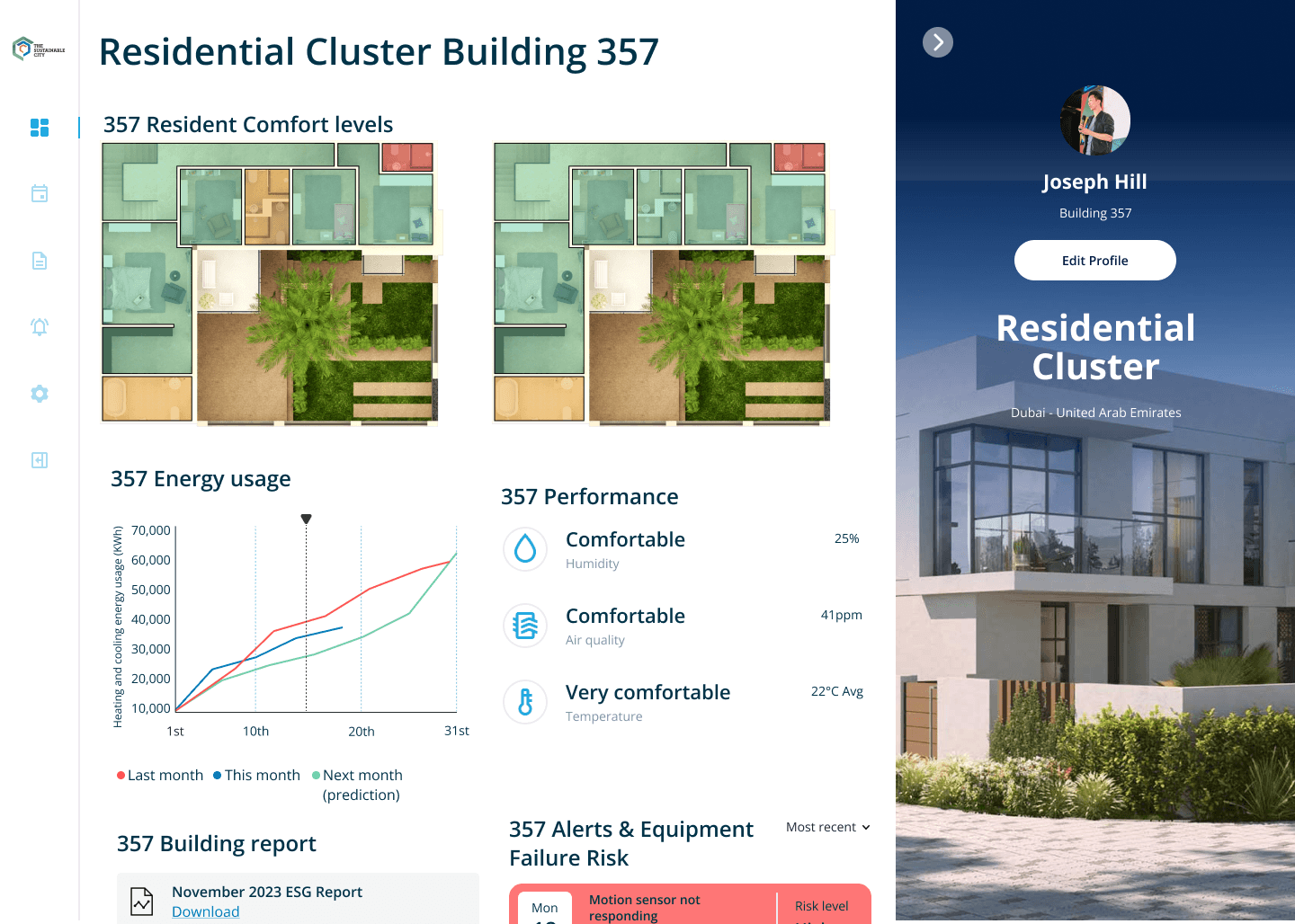
Dashboard adapted for residential properties: Focusing on communal area comfort, energy efficiency, and tenant satisfaction metrics
The modular design let us demonstrate the system's flexibility to different investor audiences while keeping the core comfort-first structure consistent.
Validation and Testing
Testing the prototype with building managers confirmed the approach.
They said they'd never seen CO2 monitored for small rooms before, and appreciated being able to act automatically. The equipment failure indicator was useful, though they saw it as something to pass on to maintenance rather than act on themselves.
The biggest validation came from how quickly they understood the interface. Within minutes of seeing the dashboard, building managers could identify which zones had comfort issues and what actions the system had taken.
Final Solution
A Dashboard Built for Daily Use
The final design put comfort data at the top of the dashboard: temperature, CO2, and humidity for each building zone, colour-coded to show when levels were outside the comfortable range. Building managers could see the entire building's status without scrolling.
Equipment health sat below comfort levels, showing HVAC performance and flagging units that weren't operating at peak. This gave building managers early warning to prevent failures, something they said they'd never had visibility of before.
The system also generated building reports for owners, showing efficiency metrics and upcoming legal requirements. This separated the two user groups: building managers got a tool for daily operations, building owners got performance summaries.
Outcome
Although the company closed before the product launched, the prototype demonstrated that prioritising user needs over stakeholder assumptions produced a more credible design.
Testing with building managers validated the structure, and the proof of concept was used throughout 2024 to pitch investors. The project proved that complex building management data could be simplified into a comfort-first interface that served daily operational needs.