Zephframe: One HVAC Unit
Instead of Eight AC Units
Designing an interface for smart doors that circulated air from a central system to individual rooms, tested in a South Korean sharehouse.
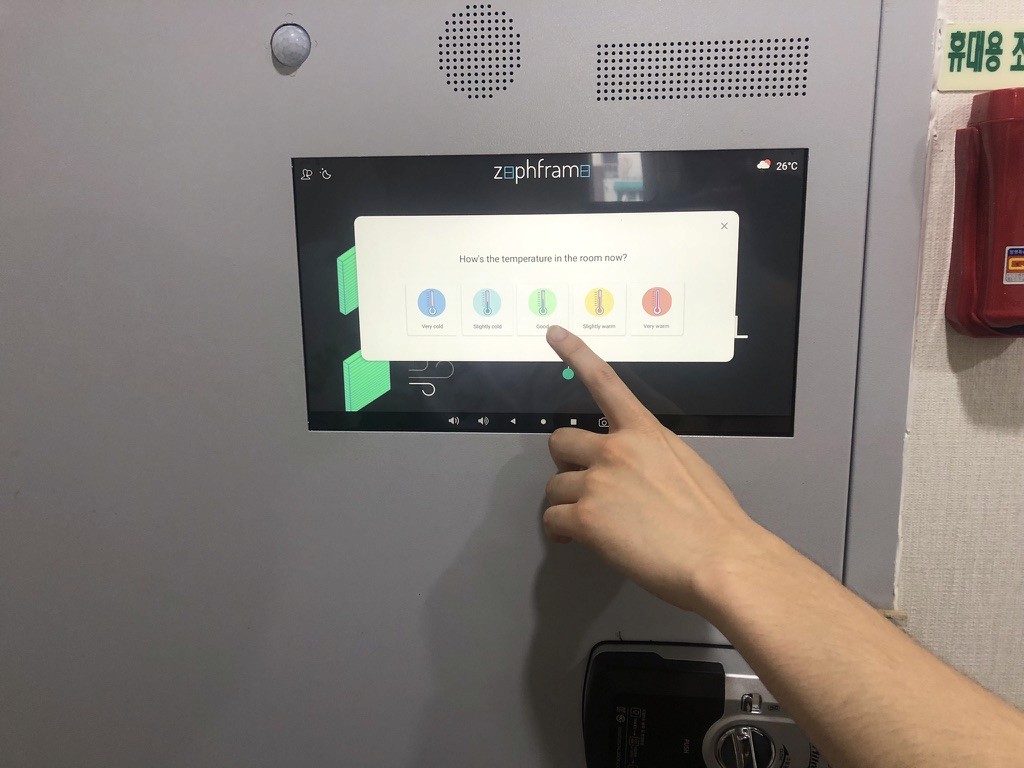
Project Overview
Small rental rooms in South Korea face a problem: they're too small for even the smallest AC unit, yet each room needs its own compressor. Building owners install multiple units, which means high electrical costs and environmental impact.
Zephframe built a smart door system that circulated air from one central HVAC unit. Each door pulled cooled or heated air from a communal area and distributed it to individual rooms. The door also filtered air and monitored temperature, humidity, and air quality.
I designed the touchscreen interface mounted on each door, allowing residents to control temperature, view air quality, and rate their comfort. The system was trialled in a sharehouse with 8 residents over several months in 2022–2023. The trial provided data for investors, but when the company entered Techstars, the hardware product was cancelled in favour of the building management dashboard.
Research
Testing with Real Users in a Real Environment
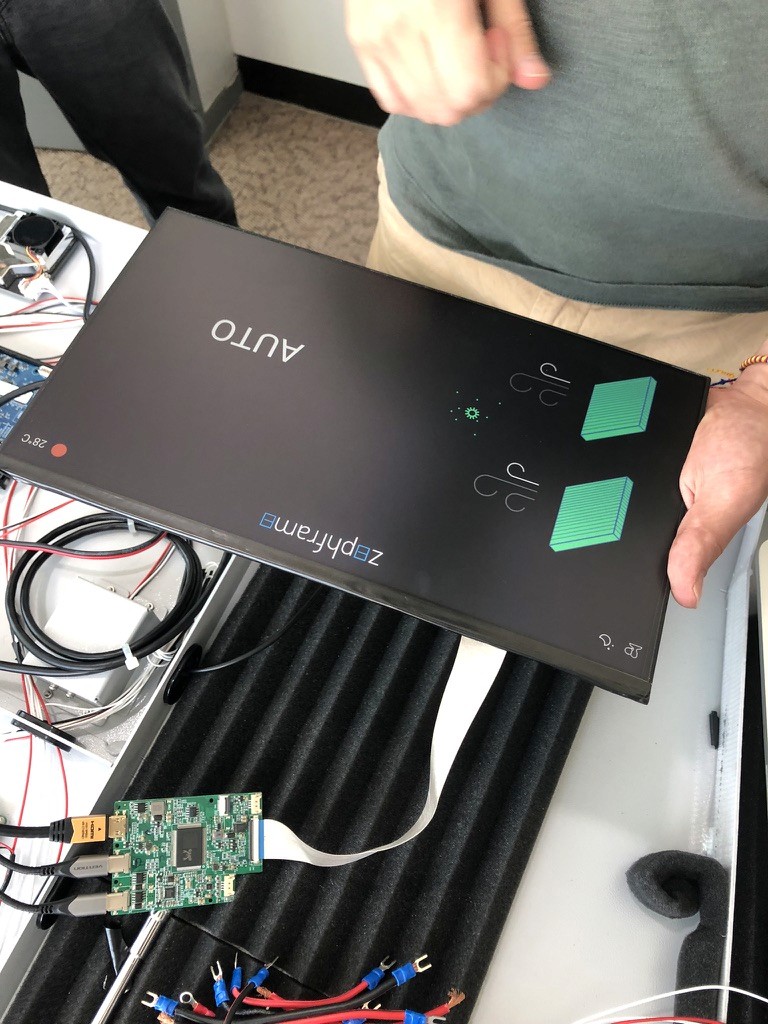
Smart door installed in South Korean sharehouse, tested with 8 residents over several months.
What Residents Needed from a Door Interface
The interface had to serve two purposes: give residents control over their room temperature, and collect feedback on whether the system was working.
I interviewed trial users during the sharehouse deployment and built a feedback mechanism into the interface. Residents could rate their comfort level and report issues, which helped us identify problems quickly. We aimed for daily ratings but let users give feedback whenever they wanted.
Three priorities emerged from the trial:
Privacy reassurance: Residents were concerned the touchscreen might have a camera or microphone. The interface needed to make it obvious it was just a display, with sensors located in the door itself, not the screen.
Filter visibility: Users wanted to know when air filters needed changing. They said a door that filtered air was valuable, but only if they could trust it was working properly. This led to adding a filter life indicator based on estimated usage time.
Room for expansion: Users wanted to communicate with building managers through the screen, but the MVP couldn't support that. The interface had to feel complete even though future features were planned.
The trial confirmed the system worked. Rooms stayed comfortable, and residents saw the value in replacing multiple AC units with one central system. The main design challenge wasn't functionality but trust: users needed to feel safe with a screen in their private space.
Three Key Priorities
Privacy reassurance
Residents were concerned the touchscreen might have a camera or microphone. The interface needed to make it obvious it was just a display, with sensors located in the door itself, not the screen.
Filter visibility
Users wanted to know when air filters needed changing. They said a door that filtered air was valuable, but only if they could trust it was working properly. This led to adding a filter life indicator based on estimated usage time.
Room for expansion
Users wanted to communicate with building managers through the screen, but the MVP couldn't support that. The interface had to feel complete even though future features were planned.
The trial confirmed the system worked. Rooms stayed comfortable, and residents saw the value in replacing multiple AC units with one central system. The main design challenge wasn't functionality but trust: users needed to feel safe with a screen in their private space.
Validation Through Testing
Testing with 8 residents over several months validated the approach. The main complaint wasn't about the interface but about the door hardware itself: light leaked through fan holes, which would have been fixed in later iterations. Users understood what the screen did and felt comfortable using it in their rooms.
Collecting User Feedback
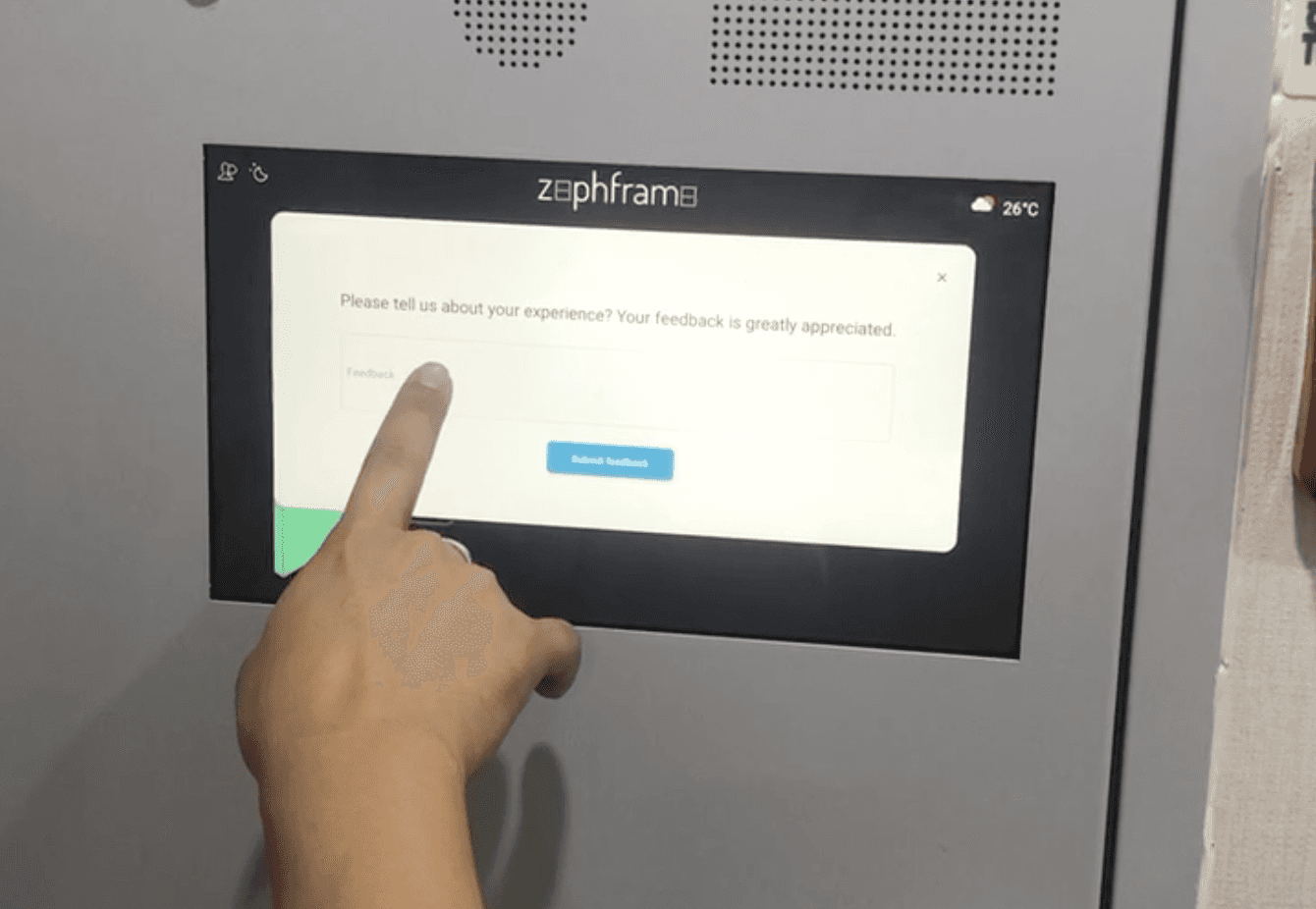
Residents could rate their comfort level and report issues through the interface, helping identify problems quickly and validate the system's effectiveness
Design Decisions
Designing for privacy and clarity
The biggest challenge was making residents comfortable with a touchscreen in their bedroom. The interface had to be transparent about what it did and what data it collected.
The screen was designed to sleep by default, showing nothing until touched. This addressed privacy concerns immediately: if the screen was dark, residents knew it wasn't recording or watching them. When active, the interface showed only environmental data (temperature, humidity, CO2) and controls for airflow.
Core Interface Principles
Environmental data as the primary view
Temperature, humidity, and air quality appeared at the top of the screen, making it clear the system was measuring the room environment, not the occupant. This reinforced that sensors were in the door, not the screen.
Filter life indicator with time-based estimation
Users wanted to know when filters needed changing, but the hardware couldn't measure filter degradation directly. The interface showed an estimated filter lifespan based on usage hours, with a clear prompt when replacement was needed. This gave users visibility without overpromising accuracy.
Comfort rating as a secondary action
The feedback mechanism sat below the main controls, framed as optional rather than required. Users could rate their comfort daily or ignore it entirely. This collected valuable data without feeling intrusive.
From Concept to Interface
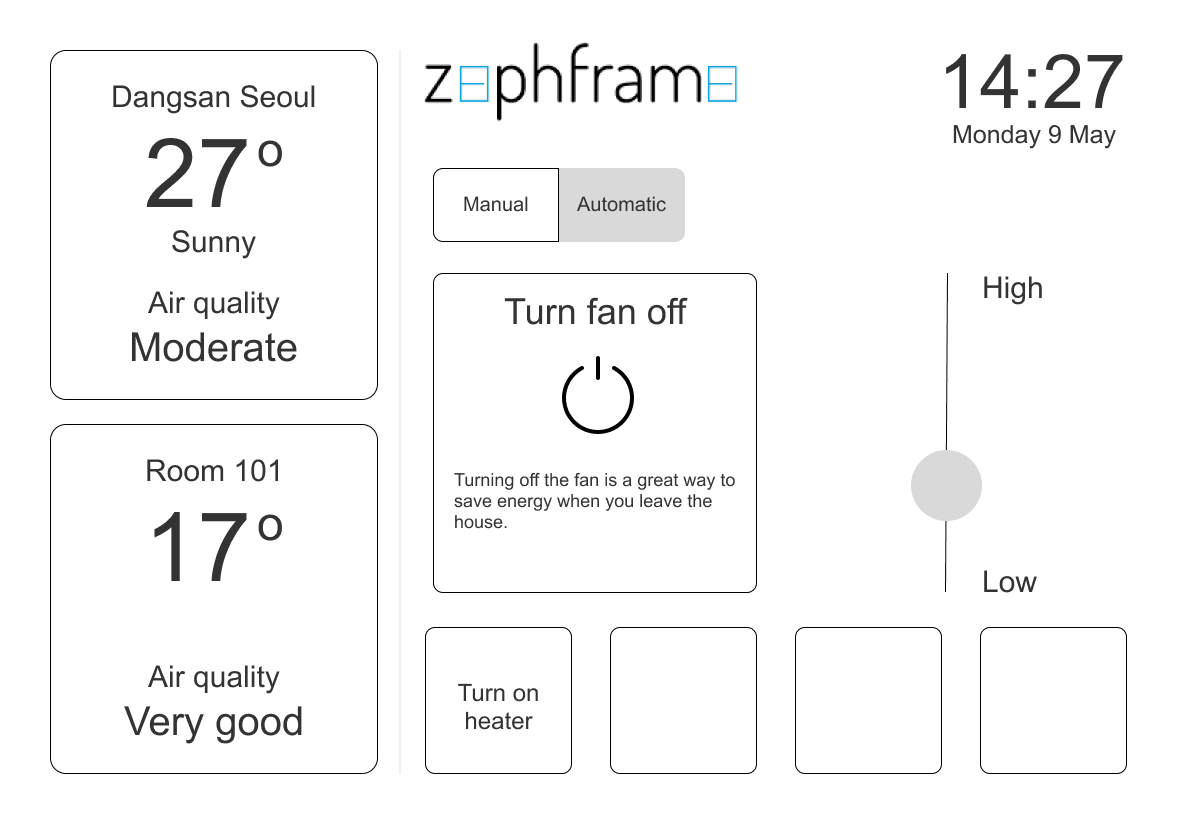
Early wireframes exploring how to present environmental controls, filter status, and comfort ratings in a bedroom-appropriate interface that prioritised privacy and clarity
Final Solution
An Interface Built for Bedroom Privacy
The final interface had three main screens: environmental monitoring, temperature control, and comfort feedback.
The home screen showed current temperature, humidity, and CO2 levels with clear visual indicators. Residents could see air quality at a glance without navigating through menus. Below that sat the temperature controls, allowing them to adjust their preferred room temperature and airflow intensity.
The filter life indicator appeared as a progress bar showing estimated days until replacement. When the filter needed changing, the interface displayed a clear prompt with instructions for residents to contact building management.
The comfort rating screen let residents score how well the system was working on a simple scale. This data flagged issues early, allowing us to investigate problems before residents had to complain directly.
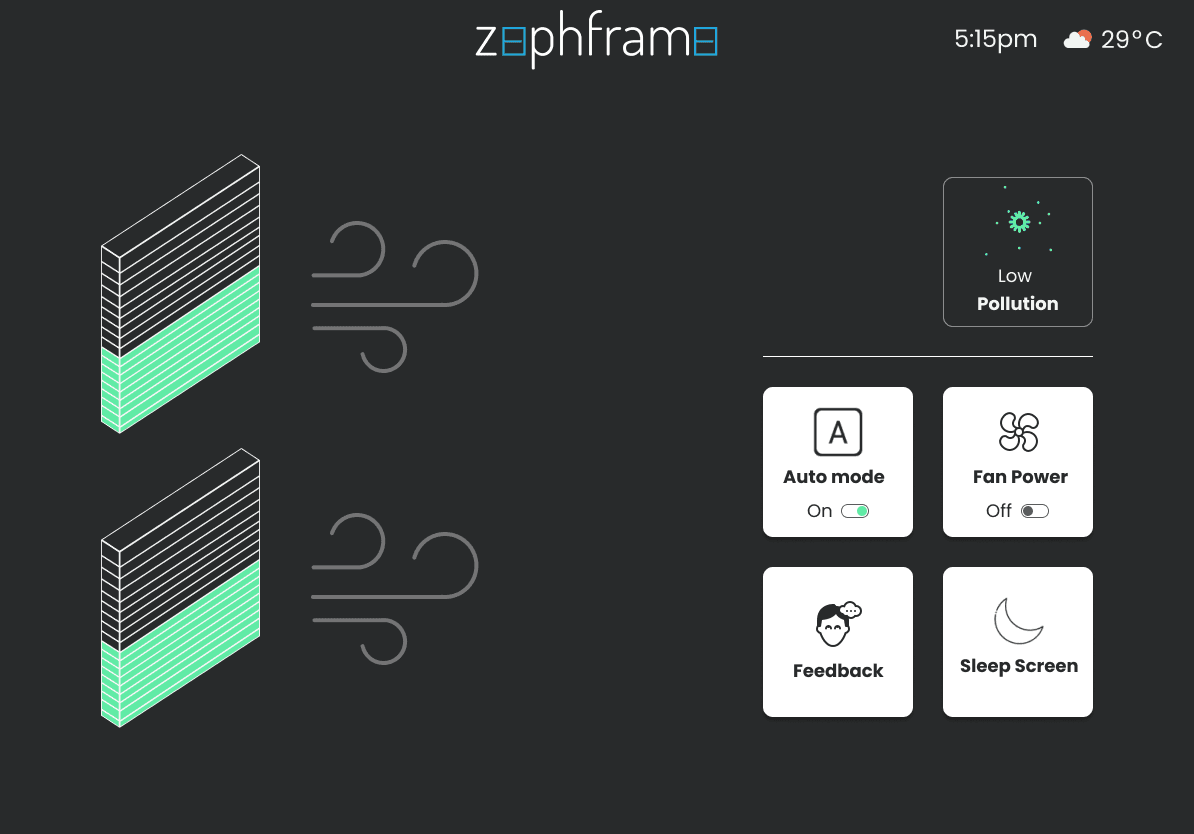
Final interface design showing environmental monitoring, temperature controls, filter life indicator, and comfort rating in a privacy-conscious layout suitable for bedroom use
Trial Results and Outcome
The trial ran successfully in a South Korean sharehouse with 8 residents over several months. Rooms stayed comfortable, and the system proved that one central HVAC unit plus smart doors could replace multiple individual AC units. Users reported the interface was clear and felt comfortable having it in their rooms once they understood it wasn't surveillance equipment.
When Zephframe entered Techstars in 2023, the hardware product was cancelled in favour of the building management dashboard. The company decided software was a better path to investment than manufacturing physical doors. The trial provided valuable data to investors, but the product never moved beyond the prototype phase.
Key Lesson
The biggest lesson from this project was how much users care about privacy and transparency in their personal spaces. An interface that might work fine in a public area needs different design considerations when it's mounted in someone's bedroom.